How to Report Fake Google Reviews: Step-by-Step Guide (2026)
Learn how to report fake Google reviews, get them removed, and protect your business reputation. Step-by-step process with templates and escalation options.

Published at:
Updated at:Reporting fake Google reviews starts in your Google Business Profile, where you can flag suspicious reviews for policy violations and submit them to Google's Review Management Tool for removal. The process takes anywhere from a few days to several weeks, and success depends on how clearly the review violates Google's policies. This guide walks you through every step, from spotting fakes to reporting them, escalating rejected reports, and protecting your business while you wait.
If you want to stay ahead of fake reviews before they appear, book a free demo of Endorsa to see how automated review monitoring works.
How to Spot Fake Google Reviews in 2026
Before you report a review, you need to confirm it is actually fake. Google only removes reviews that violate its content policies, so flagging a legitimate negative review wastes your time and credibility. Here are the signs that a review is fraudulent.
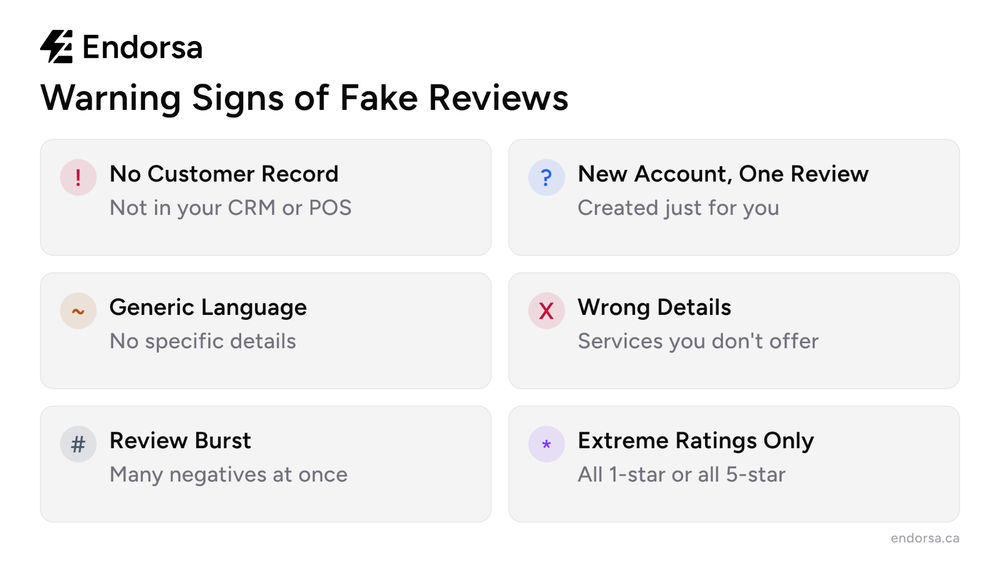
Check your customer records first. Search for the reviewer's name in your CRM, booking system, or payment processor. If there is no record of them as a customer, that is the strongest evidence of a fake review. Take a screenshot of your search results showing no match.
Look at the reviewer's profile. Click on the reviewer's name to see their review history. Red flags include: a brand-new account with only one review (yours), dozens of reviews posted in a short period across different cities, or a pattern of only 1-star or only 5-star reviews. According to BrightLocal's research, 74% of consumers have spotted what they believe is a fake review in the past year, meaning business owners need to be equally vigilant.
Examine the review content. Fake reviews often contain generic language that does not reference specific products, services, or experiences. Watch for reviews that describe services you do not offer, mention staff members who do not exist, or reference a location you do not operate in. Overly emotional language with no specific details is another warning sign.
Warning Sign | What It Means | Evidence to Collect |
|---|---|---|
No customer record | Reviewer was never a customer | Screenshot of CRM/POS search |
New account, one review | Created specifically to leave this review | Screenshot of reviewer profile |
Generic language | No specific details about the experience | Copy of the review text |
Wrong details | Describes services or staff that do not exist | Notes on what is incorrect |
Burst of negative reviews | Coordinated attack, possibly from a competitor | Timeline of when reviews appeared |
According to Google's own data, millions of policy-violating reviews are removed each year, but only reviews that clearly breach their guidelines qualify for removal.
How to Report Fake Google Reviews: 3 Methods
Google provides three ways to report fake reviews. The Review Management Tool is the most effective because it lets you track the status of your report, but all three methods send the review to the same moderation team.
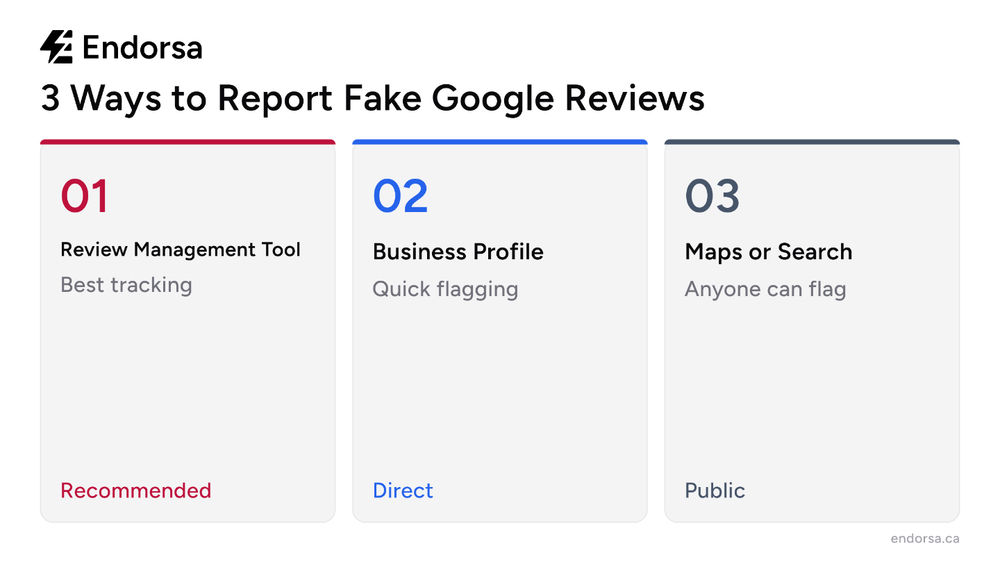
Method 1: Google's Review Management Tool (Recommended)
This is the fastest and most trackable method. Google's dedicated tool lets you report, monitor, and escalate reviews in one place.
Go to the Google Reviews Management Tool and sign in with the Google account that manages your Business Profile.
Confirm your email address and select the business location with the fake review.
Click "Report a new review for removal."
Find the fake review in the list and click "Report."
Select the violation category that best matches: "Spam and fake content," "Off-topic," "Conflict of interest," or "Profanity."
Submit the report and save the confirmation for your records.
The tool also shows the status of previously reported reviews, so you can check whether Google has acted on your report without submitting a new one.
Method 2: Flag Directly from Google Business Profile
If you prefer to report directly from your profile dashboard:
Sign in to your Google Business Profile Manager.
Navigate to the "Reviews" section.
Find the fake review and click the three-dot menu next to it.
Select "Report review" or "Flag as inappropriate."
Choose the reason for your report and submit.
This method works but does not give you a tracking dashboard. If you have multiple reviews to report, Method 1 is more efficient.
Method 3: Flag from Google Maps or Search
Any Google user can flag a review from Google Maps or Google Search results:
Find the business listing on Google Maps or in a Google search.
Scroll to the reviews section.
Click the three-dot menu next to the fake review.
Select "Report review" and choose the violation type.
This method is useful when customers or employees want to help flag reviews from competitor attacks.
What Happens After You Report a Fake Google Review
Google's moderation team reviews flagged content and makes a decision based on whether the review violates their content policies. The timeline and success rate depend on several factors.
Expected timeline: Most reports are reviewed within 3 to 14 business days. Simple violations like spam or profanity are resolved faster. Reviews that require investigation, such as conflict of interest claims, take longer. During high-volume periods, the timeline can stretch to 3 to 4 weeks.
Success rates vary by violation type. Reviews flagged as "Spam and fake content" or "Off-topic" have the highest removal rates because they are the easiest for Google's systems to verify. "Conflict of interest" reports require more evidence and are harder to prove. According to Whitespark's guide on removing fake reviews, gathering strong evidence before reporting significantly improves your chances.
You will receive a decision. Google notifies you through the Review Management Tool and by email whether the review was removed or if your report was rejected. If rejected, you have options to escalate (covered in the next section).
What to Do If Google Rejects Your Report
Google does not remove every reported review, even when it appears fake. If your report is rejected, you have several escalation paths.
Appeal through the Review Management Tool. After a rejection, the tool provides an option to appeal. Include additional evidence you may not have included in your first report: screenshots of your customer database showing no match, proof of competitor activity, or documentation that the reviewer's claims are factually incorrect.
Contact Google Business Profile Support directly. You can reach Google's support team through the "Contact us" option in your Google Business Profile Manager. Phone and chat support are available in most regions. Be specific about why the review violates Google's policies and have your evidence organized before calling.
File a legal removal request. If the review contains defamatory content, you can submit a legal removal request through Google. This is a slower process but appropriate for reviews that are clearly false statements of fact.
Report to the FTC (United States). The Federal Trade Commission accepts reports of fake reviews as a deceptive business practice. While the FTC does not remove individual reviews, filing a report creates a paper trail and can trigger enforcement action against businesses that systematically post fake reviews.
Report to the Competition Bureau (Canada). Canadian businesses can report fake reviews to the Competition Bureau of Canada under deceptive marketing practices provisions. Canada's Competition Act treats fake reviews as a form of false or misleading advertising, carrying penalties up to $10 million for corporations.
Google's 2026 enforcement update expanded automated detection of fake reviews, with the company reporting a significant increase in proactive removals of policy-violating content before businesses even flag them.
Report extortion schemes. If someone is demanding payment to remove a negative review, Google has a dedicated merchant extortion report form. This is a separate category from standard fake review reporting and is prioritized by Google's moderation team.
How to Respond to Fake Reviews While Waiting for Removal
Reporting takes time, and the fake review is visible to potential customers while you wait. A professional response protects your reputation in the meantime.
Do respond, but keep it brief and factual. A calm, professional reply shows potential customers that you take feedback seriously and handle conflict with maturity. Avoid getting defensive or accusatory, even if you are certain the review is fake.
Template for responding to a suspected fake review:
"Thank you for your feedback. We take all reviews seriously, but we are unable to find any record of your visit in our system. We would love to resolve this. Please contact us at [phone/email] so we can look into this further."
This response accomplishes three things: it shows potential customers you are responsive, it signals to Google that the reviewer may not be a real customer, and it gives the reviewer an opportunity to reveal themselves if they are legitimate.
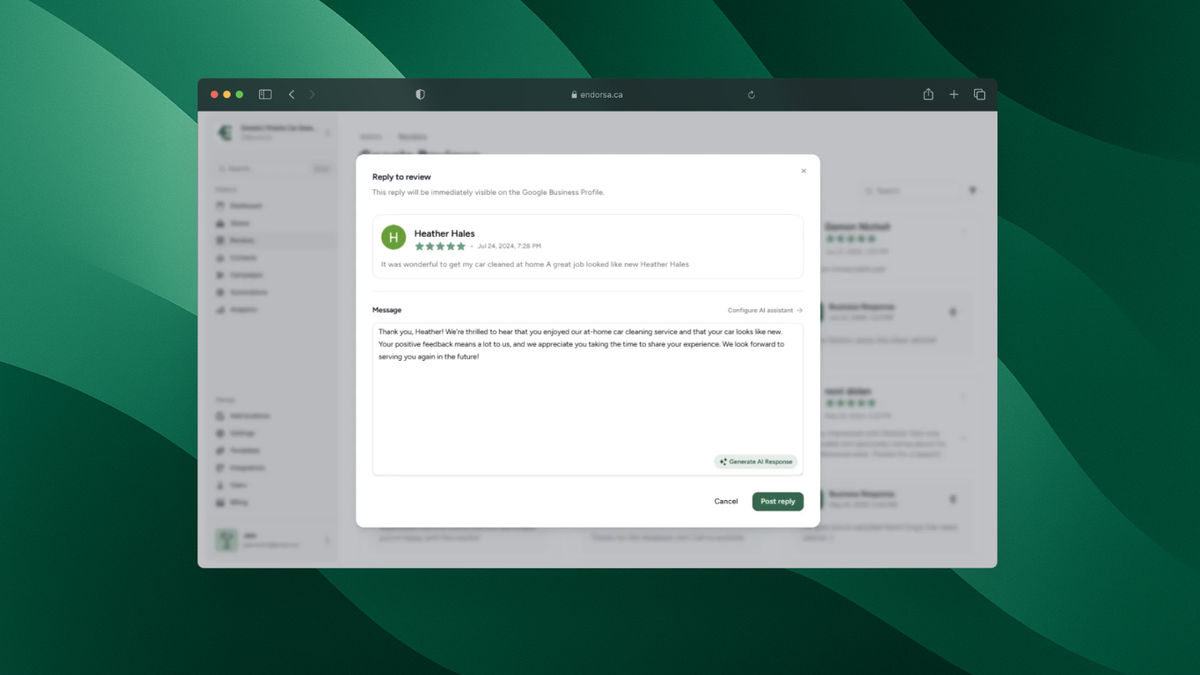
For more response strategies, see our guide on how to manage and respond to Google reviews or browse our AI-powered review response tool that drafts personalized replies in seconds.
Do not accuse the reviewer directly. Publicly calling someone a liar or a competitor risks escalating the situation and can violate Google's own policies on harassment. Let your evidence do the talking through the official reporting channels.
Common Mistakes When Reporting Fake Google Reviews
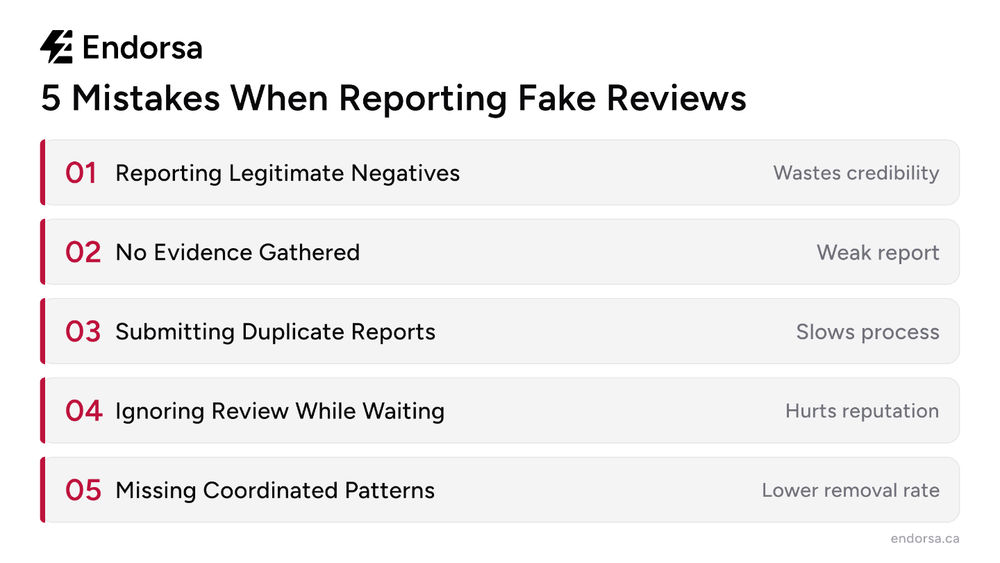
Business owners often undermine their own reports by making avoidable errors. Here are the five most common mistakes.
1. Reporting legitimate negative reviews. A bad review is not the same as a fake review. If a real customer had a poor experience and left a 1-star review, that review does not violate Google's policies. Reporting legitimate reviews wastes your credibility with Google's moderation team and makes future reports less likely to succeed.
2. Not gathering evidence first. Filing a report with just "this is fake" gives Google nothing to work with. Before reporting, collect screenshots of your customer database search, the reviewer's profile activity, and any factual inaccuracies in the review. The more evidence you provide, the faster Google can act.
3. Reporting the same review repeatedly. Submitting the same report multiple times does not speed up the process. It can actually slow things down by creating duplicate tickets. Report once, then use the Review Management Tool to check the status.
4. Ignoring the review while waiting. Leaving a fake review unanswered for weeks tells potential customers you do not monitor your online presence. Respond professionally within 24 to 48 hours, even if you have already reported the review for removal.
5. Not monitoring for patterns. A single fake review is frustrating. A pattern of fake reviews, such as multiple 1-star reviews appearing in a short window, suggests a coordinated attack. Document the timeline and report the pattern to Google Support, not just individual reviews. This triggers a different investigation process with higher removal rates.
How Endorsa Helps You Monitor and Manage Reviews
We built Endorsa to take the stress out of review management, including catching suspicious reviews before they damage your reputation. Endorsa is a Google review automation platform built in Canada that helps businesses collect, manage, and respond to reviews on autopilot.
Our platform monitors your Google Business Profile for new reviews and sends instant notifications when a review is posted. Instead of discovering a fake review days or weeks later, you know about it within minutes. That faster response time means you can report suspicious reviews immediately and post a professional response before potential customers see an unanswered attack.
Our AI review assistant helps you draft measured, professional responses to suspicious reviews in seconds, so you never respond in anger or leave a fake review sitting unanswered. And for Canadian businesses, our review request workflows are built with CASL compliance from the ground up, so your legitimate review collection stays on the right side of the law while you deal with the fakes.
Book a free demo to see how Endorsa keeps your review profile clean and your reputation protected.
Frequently Asked Questions
How do I report false reviews on Google?
The fastest way to report false reviews on Google is through the Google Reviews Management Tool. Sign in with your Business Profile account, select the review, choose the violation type (spam, off-topic, conflict of interest, or profanity), and submit. You can also flag reviews directly from your Google Business Profile dashboard or from Google Maps.
Can I get a fake Google review removed?
Yes, but only if the review violates Google's content policies. Reviews that are spam, fake content, off-topic, contain profanity, or represent a conflict of interest qualify for removal. Legitimate negative reviews from real customers do not qualify, even if the rating feels unfair. Google reviews the report and typically responds within 3 to 14 business days.
Is faking Google reviews illegal?
Yes, fake Google reviews are illegal in both the United States and Canada. The FTC considers fake reviews a deceptive business practice and has taken enforcement action against companies that post or purchase them. In Canada, the Competition Act treats fake reviews as false or misleading advertising, with penalties up to $10 million for corporations. Google also bans the practice and removes fake reviews when they are identified.
How do you trace a fake Google review?
Start by searching your customer database for the reviewer's name. If there is no match, check the reviewer's Google profile for suspicious patterns: new accounts with one review, dozens of reviews in different cities posted in a short time, or a history of only extreme ratings. Generic review content that does not mention specific products, services, or experiences is another indicator.
How many reports does it take to remove a Google review?
There is no magic number. One well-documented report with clear evidence of a policy violation is enough if the review genuinely breaks Google's guidelines. Multiple reports from different accounts can draw more attention to the review, but quantity does not override quality. Focus on providing strong evidence in your initial report rather than asking others to mass-report the review.
How long does Google take to remove a reported review?
Google typically reviews flagged content within 3 to 14 business days. Simple violations like spam or profanity are resolved faster, while conflict of interest claims require more investigation. During peak periods, the process can take up to 3 to 4 weeks. Use the Review Management Tool to track the status of your report rather than submitting duplicate reports.
Take Control of Your Google Review Reputation
Fake Google reviews are a reality of doing business online, but they do not have to define your reputation. The businesses that come out ahead are the ones that identify fakes quickly, report them with strong evidence, respond professionally while waiting, and build a steady stream of legitimate reviews that bury the noise. We built Endorsa to handle all of this on autopilot, from real-time review monitoring to AI-powered responses to automated review collection. Start protecting your reviews today with a free demo.